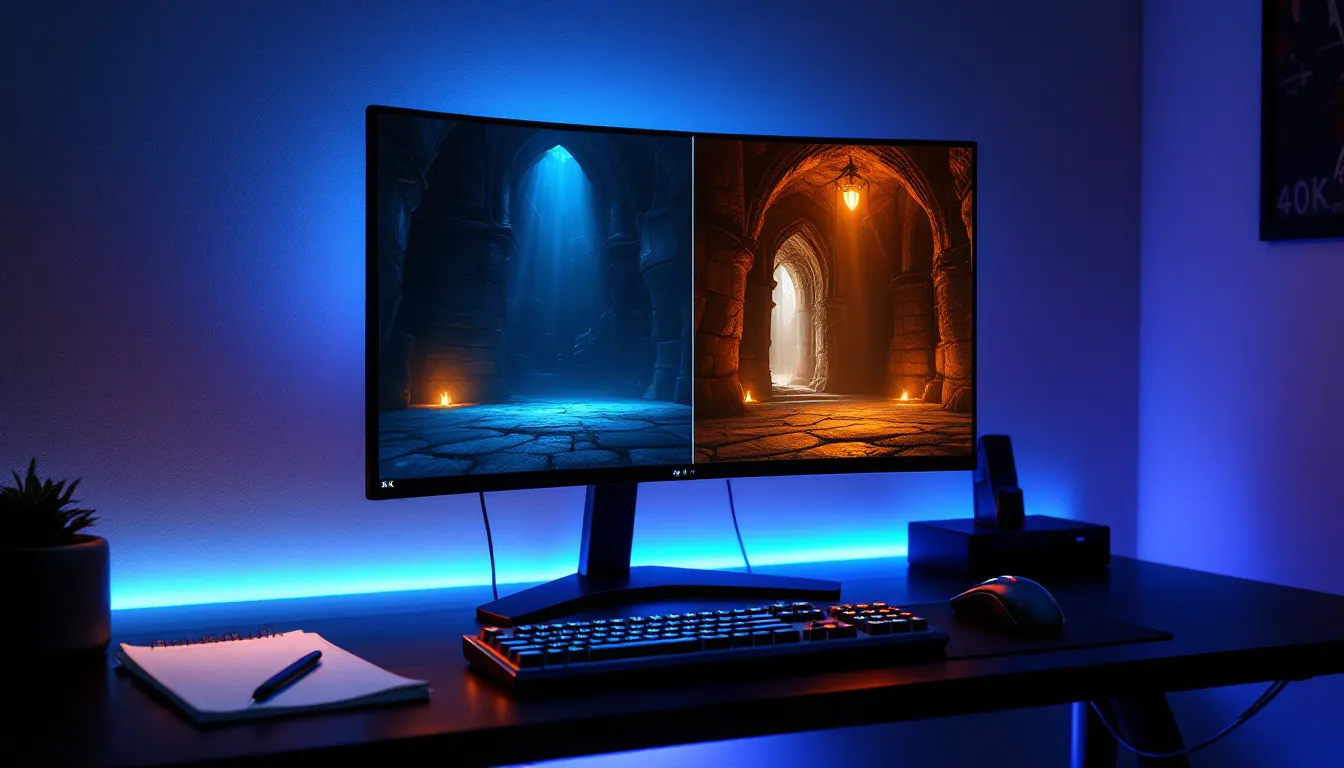
Skyrim’s lighting has always been a sticking point. Bethesda’s vanilla implementation creates flat, washed-out interiors and inconsistent outdoor ambiance that robs the game of atmosphere. More than a decade after release, the modding community has refined lighting overhauls to the point where they’re essential for any serious playthrough. Relighting Skyrim isn’t just about making things prettier, it fundamentally changes how dungeons feel, how torchlight dances across stone walls, and how moonlight filters through ancient Nordic ruins. The right lighting setup transforms Skyrim from a solid RPG into a moody, immersive world that rivals modern titles.
In 2026, players have more options than ever, but that variety brings confusion. Which lighting mod offers the best balance between performance and visuals? How do you avoid the dreaded pitch-black interiors or mod conflicts that break entire questlines? This guide cuts through the noise with specific recommendations, installation instructions, and troubleshooting steps that actually work.
Table of Contents
ToggleKey Takeaways
- Relighting Skyrim dramatically improves atmosphere and immersion by replacing the game’s flat, washed-out vanilla lighting with dynamic sources that respond to time, weather, and player actions.
- Enhanced Lights and FX (ELFX) and Lux are the top lighting mod choices in 2026, with ELFX offering excellent balance and Lux providing the most advanced light propagation technology.
- Proper load order management using Mod Organizer 2 is essential for installing lighting mods without conflicts, and testing multiple locations is critical before committing to a playthrough.
- Pairing your lighting overhaul with Cathedral Weathers and a compatible ENB preset can create cohesive visuals, though ENB carries the heaviest performance cost at 15-30 FPS.
- Lightweight options like Relighting Skyrim SSE work well on mid-range hardware and pair seamlessly with other mods, while minimalist approaches maintain 60+ FPS stability.
- Use SSEEdit to troubleshoot conflicts, verify load order with LOOT, and create custom compatibility patches when lighting mods conflict with city overhauls or quest mods.
Why Lighting Matters in Skyrim
Understanding Skyrim’s Default Lighting System
Vanilla Skyrim uses a relatively simple lighting model that prioritizes performance over realism. Bethesda’s approach relies on ambient lighting to ensure players can always see, even in theoretically dark spaces like caves or nighttime exteriors. The result is a flat, uniform glow that eliminates shadows and kills atmosphere.
The base game applies global illumination values that rarely change based on context. A torch in your hand barely affects the light levels around you. Interiors often look brighter at midnight than at noon. Shadow depth is minimal, and light sources like candles or braziers contribute almost nothing to actual illumination, they’re decorative rather than functional.
This design choice made sense for Xbox 360 and PS3 hardware limitations, but it aged poorly. Modern players expect dynamic lighting that responds to time of day, weather conditions, and player actions. Understanding these baseline limitations explains why lighting overhauls make such a dramatic difference.
The Impact of Lighting on Gameplay and Immersion
Proper lighting completely rewrites how Skyrim feels. Dark dungeons become genuinely threatening when your torchlight only reaches a few meters ahead. Sneaking through bandit camps at night actually provides stealth advantages when shadows matter. Candlelit taverns gain warmth and personality when the light sources create realistic pools of illumination.
Gameplay shifts too. With realistic darkness, the Candlelight spell becomes essential rather than decorative. Vampire characters genuinely suffer in bright daylight. Players start planning dungeon runs around having enough light sources, which adds a layer of immersion vanilla Skyrim never achieved.
The psychological impact shouldn’t be underestimated. Nordic ruins feel ancient and foreboding when light barely penetrates the gloom. The contrast between stepping out of a dark barrow into bright sunlight creates memorable moments. It’s the difference between playing through a quest and actually experiencing it.
Best Lighting Mods for Skyrim in 2026
Enhanced Lights and FX (ELFX)
Enhanced Lights and FX remains one of the most popular lighting overhauls for good reason. The current version (5.3.1 as of early 2026) completely reworks interior and exterior lighting while maintaining excellent compatibility with other mods. ELFX takes a realistic approach, removing unrealistic light sources, adjusting ambient values, and making actual light sources (torches, candles, windows) contribute meaningfully to illumination.
The mod includes two main files: the core lighting overhaul and an optional Enhancer plugin that makes nights significantly darker. Most players find the base version strikes a good balance, while hardcore immersion fans swear by the Enhancer for truly challenging darkness. ELFX works across Skyrim Special Edition and Anniversary Edition without issues.
Performance impact is minimal on most systems. The mod doesn’t add scripts or heavy textures, it simply adjusts light source placements and values. Players using modding utilities report smooth integration with other visual overhauls.
Lux and Lux Orbis
Lux represents the current cutting edge of Skyrim lighting mods. Released in late 2024 and refined through 2025, version 6.2 offers the most advanced lighting implementation available. Unlike older mods that simply adjust brightness values, Lux completely replaces light sources with hand-placed, carefully tuned alternatives that account for realistic light propagation.
Lux Orbis serves as the exterior companion to Lux, overhauling cities, towns, and outdoor spaces. Together, they create a cohesive lighting experience across all of Skyrim. The attention to detail is remarkable, individual candles cast appropriate shadows, window light spills realistically into streets, and torch brackets actually illuminate their surroundings.
The trade-off is complexity. Lux requires careful load order management and has specific compatibility patches for major overhauls. Performance cost is moderate, expect a 5-10 FPS drop on mid-range systems. The visual payoff justifies the overhead for most players.
Relighting Skyrim SSE
Relighting Skyrim SSE takes a minimalist philosophy. Rather than completely overhauling the lighting system, it fixes Bethesda’s light source placements without dramatically altering brightness or ambiance. This makes it the most conservative option and the easiest to combine with other mods.
Version 1.4.0 relocates over 7,000 misplaced light sources throughout the game. Torches that were floating in walls now attach properly. Light markers align with actual candles and braziers. The visual improvement is subtle but noticeable, and the compatibility profile is excellent.
This mod pairs beautifully with ENB presets or weather overhauls since it doesn’t impose a specific aesthetic. Players looking for small, stable improvements without committing to a full lighting philosophy often start here. It’s also the lightest option performance-wise, essentially zero FPS impact.
Realistic Lighting Overhaul (RLO)
Realistic Lighting Overhaul is one of the oldest lighting mods still receiving updates. The current 6.0 release (updated January 2026) brings the mod in line with modern standards while preserving its signature high-contrast look. RLO emphasizes dramatic shadows and strong light source contrast, creating a cinematic atmosphere.
The mod includes multiple plugin options: full overhaul, interiors only, exteriors only, and various compatibility patches. This modularity helps when building complex mod lists. RLO’s high-contrast approach isn’t for everyone, some players find it too dark, but it creates undeniably striking visuals.
Compatibility has historically been RLO’s weakness, but version 6.0 addresses many conflicts. Performance sits in the moderate range, comparable to ELFX. The community over on Nexus Mods maintains extensive patch collections for popular overhauls.
Luminosity Lighting Overhaul
Luminosity occupies a middle ground between minimal fixes and complete overhauls. It adjusts lighting intensity, color temperature, and shadow depth without relocating light sources or imposing extreme darkness. The current 2.5 release focuses on creating natural-looking illumination that feels realistic without punishing players.
What sets Luminosity apart is its weather-responsive lighting. Interior ambiance shifts based on exterior conditions, dungeons are darker during storms, windows provide more light on sunny days. This dynamic approach adds subtle immersion that most lighting mods miss.
The mod is exceptionally lightweight and compatible with nearly everything. Players combining it with weather mods and ENB presets report excellent results. It won’t wow screenshots like Lux might, but it creates a cohesive, comfortable visual experience for long-term playthroughs.
How to Install Lighting Mods Properly
Choosing the Right Mod Manager
Mod Organizer 2 (MO2) remains the gold standard for Skyrim modding in 2026. Version 2.5.2 offers virtual file system management that keeps your actual Skyrim directory clean while allowing complex mod setups. This becomes crucial when dealing with lighting mods that include multiple plugins and optional files.
Vortex provides a simpler alternative with decent load order management. The automatic LOOT integration handles most conflicts, though manual intervention is sometimes necessary for lighting mods. Vortex works fine for straightforward setups but can frustrate players building large mod lists.
Never install lighting mods manually by dropping files into the Data folder. This approach makes troubleshooting impossible and creates conflicts that break saves. Stick with a proper mod manager, both MO2 and Vortex are free and well-documented.
Installation Steps and Load Order
Install your chosen lighting mod through your mod manager after establishing your baseline setup (unofficial patches, core bug fixes). Lighting overhauls should load relatively early in your plugin order, but after master files and major framework mods.
For ELFX, install the main file first, then the Enhancer plugin if desired. Enable both in your mod manager and ensure the Enhancer loads directly after the main ESP. Check for specific compatibility patches if you’re running city overhauls or interior renovations.
Lux requires more attention. Install Lux first, then Lux Orbis. Download and install any necessary patches from the mod page, these are critical for avoiding conflicts with popular mods like USSEP, city overhauls, or quest mods that alter interiors. The mod author maintains an extensive patch repository.
Run LOOT after installation to auto-sort plugins, but verify the results. Lighting plugins should generally sit before weather mods and ENB helper plugins in the load order. Players following more advanced techniques often fine-tune this manually.
Testing Your Setup for Stability
Don’t assume installation worked just because the game launches. Start a new save (or use an alternate start mod) and systematically test different locations. Visit a major city at night, enter several dungeon types (Nordic ruins, caves, Dwemer ruins), and check interior/exterior transitions.
Watch for specific issues: flickering lights, completely black interiors, missing textures, or sudden FPS drops in lit areas. The Bannered Mare in Whiterun serves as a good test location, it has multiple light sources and heavy NPC traffic. If it runs smoothly with good visuals, your setup is probably solid.
Use console commands to teleport to problem locations reported by other users. Common trouble spots include certain Dwemer ruins (especially Blackreach), the Ragged Flagon, and modded locations if you’re running additional content. Test with and without ENB enabled to isolate the source of any issues.
Combining Lighting Mods with Weather and ENB Presets
Popular Weather Mods That Complement Lighting Overhauls
Cathedral Weathers pairs exceptionally well with most lighting mods. Its balanced approach to weather and time-of-day lighting creates natural transitions between interior and exterior spaces. Version 2.6 includes specific presets designed for ELFX and Lux, eliminating the guesswork from integration.
Obsidian Weathers and Seasons offers a more dramatic alternative with strong contrast and saturated colors. This works beautifully with RLO’s cinematic approach but can look oversaturated with more neutral lighting mods. The current 1.2 release includes optional brighter nights for players who find the combo too dark.
NAT III (Natural and Atmospheric Tamriel) represents the realistic end of the spectrum. It emphasizes natural color grading and subtle weather transitions. When combined with Luminosity or Lux, it creates one of the most cohesive visual experiences available. Performance cost is moderate across all three weather mods.
Most weather mods include lighting adjustments themselves, so coordination matters. Check mod pages for recommended lighting companions. The community on DSOGaming frequently benchmarks various combinations for performance and visual quality comparisons.
Pairing ENB Presets with Lighting Mods
ENB presets add post-processing effects like ambient occlusion, depth of field, and advanced lighting calculations. Not all ENB presets work with all lighting mods, they’re often designed for specific combinations. Silent Horizons ENB was built specifically for Lux and Cathedral Weathers, while Rudy ENB offers versions for ELFX, Lux, and standalone setups.
Installing ENB requires downloading ENB binaries from enbdev.com (version 0.490+ for Skyrim SE as of 2026) and placing the appropriate files in your Skyrim directory. Then install your chosen preset by copying its enbseries folder and configuration files. Most presets include detailed installation instructions.
ENB carries the heaviest performance cost of any visual mod, typically 15-30 FPS depending on preset complexity and hardware. Players with RTX 4060 or equivalent can usually run full presets at 1440p with 60+ FPS. Older hardware may need performance-focused presets or ENB alternatives like ReShade.
Tweak ENB settings in-game using Shift+Enter to open the configuration menu. Adjust subsurface scattering, ambient occlusion intensity, and bloom to taste. Many players over on Twinfinite share their customized ENB configurations for specific hardware setups.
Optimizing Performance While Relighting Skyrim
Adjusting Settings for Low to Mid-Range PCs
Players running GTX 1060-level hardware or lower should start with lightweight lighting mods. Relighting Skyrim SSE or Luminosity deliver visual improvements without meaningful performance hits. Pair these with Cathedral Weathers’ performance preset and skip ENB entirely, ReShade with a simple sharpening filter provides 90% of the visual punch with 10% of the cost.
In Skyrim’s launcher settings, reduce shadow resolution to 2048 and shadow distance to 5000. Disable godrays or set them to low. These vanilla settings have massive performance impact and lighting mods often make them redundant anyway. Most players won’t miss godrays when they have proper volumetric lighting from their overhaul.
Limit concurrent light sources by avoiding mods that add excessive torches or lanterns to cities. Some city overhauls go overboard with decorative lighting that tanks FPS in crowded areas. Check mod descriptions for performance notes before installing.
Balancing Visual Quality and Frame Rate
The sweet spot for most players is 1080p with a moderate lighting mod (ELFX or Luminosity), weather overhaul, and optional lightweight ENB. This combination maintains 60+ FPS on mid-range hardware (RTX 3060, RX 6600, or equivalent) while delivering visuals that dramatically surpass vanilla.
Monitor FPS in demanding locations: Riften marketplace, Solitude during busy times, Blackreach, and any heavily modded cities. If FPS drops below your target, start by reducing ENB complexity before touching lighting mods. ENB effects like SSAO and detailed shadows consume far more resources than the lighting overhauls themselves.
Some players targeting 120+ FPS for high-refresh monitors should stick with minimalist approaches. Relighting Skyrim SSE plus a simple weather mod delivers consistent frames without sacrificing the core visual improvements. Anyone serious about optimizing their setup should test with tools like MSI Afterburner to identify specific bottlenecks.
Troubleshooting Common Lighting Mod Issues
Fixing Dark Interiors and Black Faces
Completely black interiors usually indicate a missing master file or incorrect load order. Verify that all required files for your lighting mod are installed and enabled. ELFX, for example, requires both the main ESP and meshes/textures, missing either creates problems.
The “black face bug” appears when lighting mods conflict with NPC overhauls. This happens because lighting changes affect how face tints render. The fix requires regenerating FaceGen data or installing compatibility patches. Most major NPC overhauls include patches for popular lighting mods, check the mod pages.
If specific locations remain pitch black while others work fine, a mod conflict is overwriting lighting records for those cells. Use xEdit (SSEEdit) to identify which mod is winning the conflict. Right-click the problematic record and drag the lighting mod’s changes to the bottom of the override list, or create a custom conflict resolution patch.
Players experiencing issues might benefit from consulting comprehensive troubleshooting guides that cover mod conflicts in detail.
Resolving Conflicts with Other Mods
City overhauls like JK’s Skyrim or Dawn of Skyrim frequently conflict with lighting mods because they relocate buildings and outdoor spaces. Always install compatibility patches, major lighting mods maintain extensive patch collections specifically for popular overhauls.
Quest mods that add new interiors or modify existing ones need special attention. Check if your lighting mod includes patches for major quest mods like Legacy of the Dragonborn or Interesting NPCs. If not, the quest mod’s original lighting will override your overhaul in those specific locations.
Mesh replacers for furniture, clutter, or architecture sometimes include their own lighting data. This creates subtle conflicts that might not crash the game but produce weird visual artifacts. Load lighting mods after mesh replacers so their light source placements take priority.
When building large mod lists, consider using a conflict resolution tool like Synthesis or Wrye Bash to create a bashed patch. These tools automatically merge compatible changes from multiple mods, reducing conflicts without manual xEdit work.
Advanced Lighting Customization Tips
Manual Tweaking and Editing Lighting Settings
SSEEdit allows direct manipulation of lighting records for players who want granular control. Load your lighting mod in SSEEdit and navigate to Worldspace or Cell records to view individual light sources. Each light has properties for radius, color, intensity, and shadow casting.
Adjusting the Fade value controls how far light reaches before dissipating. Lower values create more focused pools of light, higher values spread illumination over larger areas. The FOV (field of view) setting determines the cone angle for directional lights like lanterns, narrower FOV creates spotlight effects.
Color temperature makes subtle but meaningful differences. Warmer tones (more red/orange) suit taverns and homes, while cooler tones (blue-white) work for magical lights or moonlight. Vanilla Skyrim uses unrealistically neutral white for most sources. Shifting candles toward 255-200-150 (RGB) creates more believable firelight.
Don’t overlook shadow settings. Enabling shadows on key light sources adds depth, but too many shadow-casting lights destroys performance. Reserve shadow casting for prominent sources like hearths, major torches, and magical lights. Decorative candles can illuminate without casting shadows.
Creating Your Own Lighting Profile
Experienced modders can build custom lighting setups by combining elements from multiple mods. Start with Relighting Skyrim SSE as a base for proper light source placement, then selectively override specific locations with hand-tuned values based on your preferences.
Create a new ESP in the Creation Kit and flag it as an override mod. Load your base lighting mod as a master, then edit specific cells or worldspaces. This approach lets you preserve most of a lighting mod’s work while customizing problem areas or achieving a specific aesthetic.
Document your changes meticulously. Custom lighting profiles become impossible to maintain if you can’t remember what you changed or why. Consider sharing your work on modding communities if you create something unique, the Skyrim modding scene thrives on collaboration.
Test extensively after every change. Lighting adjustments often have cascading effects across connected spaces. What looks perfect in the Creation Kit might render completely differently in-game with all your other mods loaded.
Conclusion
Relighting Skyrim transforms one of gaming’s most beloved worlds from visually dated to genuinely atmospheric. The difference between vanilla lighting and a well-configured overhaul is night and day, literally. Whether you choose the conservative fixes of Relighting Skyrim SSE or jump into Lux’s comprehensive rework, proper lighting makes dungeons feel dangerous, cities feel lived-in, and the world feel cohesive.
The key is matching your lighting choice to your hardware, playstyle, and aesthetic preferences. Performance-conscious players get excellent results from lightweight options. Visual perfectionists can combine cutting-edge lighting with weather mods and ENB for screenshot-worthy results. The modding tools available in 2026 make installation and troubleshooting more accessible than ever.
Start simple, test thoroughly, and build up your visual setup incrementally. A stable lighting foundation supports everything else in your mod list. The hours spent configuring your lighting pay dividends across hundreds of hours of gameplay, turning familiar locations into fresh experiences worth exploring again.