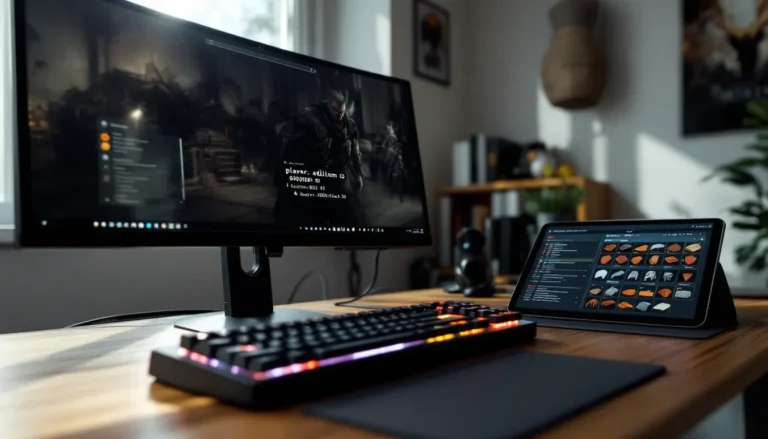
Skyrim’s modding community has spent nearly fifteen years perfecting the art of immersion. What started as simple texture replacements has evolved into full-blown overhauls that transform the 2011 RPG into something that feels like it launched yesterday. Immersive mods don’t just make Skyrim prettier, they make it feel alive, dangerous, and worth getting lost in for another hundred hours.
The difference between vanilla Skyrim and a properly modded setup is night and day. Weather systems that actually affect gameplay, NPCs who remember what you said to them last week, combat that requires more than mindless button-mashing, these aren’t quality-of-life tweaks. They’re fundamental shifts that turn a great game into a personalized experience tailored to exactly how you want to play.
This guide breaks down the essential immersive mods for 2026, from survival mechanics to AI overhauls, plus the technical know-how to get them running without crashing every ten minutes.
Table of Contents
ToggleKey Takeaways
- Immersive mods in Skyrim prioritize realism and player investment by adding survival mechanics, improved AI, and consequence-driven systems that make the world feel alive and challenging.
- Installing a stable immersive mod setup requires starting with core systems like weather, lighting, survival, and combat overhauls before layering in visual and audio enhancements.
- Mod Organizer 2 (MO2) provides superior control for managing large immersive mod collections through its virtual file system and separate install/load order management.
- Audio overhauls like Audio Overhaul for Skyrim (AOS) and Sounds of Skyrim Complete deliver outsized immersion improvements compared to their low performance cost.
- Compatibility between immersive mods is best achieved by using LOOT for load order sorting, consulting xEdit for conflict resolution, and locating community-made patches for popular mod combinations.
- Testing your immersive mod foundation thoroughly before adding visual enhancements helps prevent save corruption and ensures long-term stability for extended playthroughs.
What Are Immersive Mods in Skyrim?
Immersive mods prioritize believability over convenience. They’re the opposite of quality-of-life mods that make things easier, immersive mods make Skyrim harder, slower, and more grounded in ways that force players to engage with the world instead of steamrolling through it.
Think survival systems that require eating, sleeping, and staying warm. AI improvements that make bandits flank you instead of charging straight ahead. Economy tweaks that prevent you from becoming a millionaire by level 10. These mods share a common goal: making the player feel like they actually live in Tamriel.
The term “immersive” gets thrown around a lot in modding circles, sometimes slapped on anything that isn’t completely lore-breaking. For this guide, immersive means mods that enhance realism, consistency, and player investment in the world. Visual upgrades count when they serve that purpose, better lighting matters because it changes how you navigate dungeons, not just because it looks pretty in screenshots.
Most immersive setups layer multiple mod categories together. Graphics overhauls work with gameplay changes, which pair with audio improvements, all building toward a cohesive experience where every system reinforces the others. That’s why building a solid immersive mod list takes more planning than just downloading the top 50 files on Nexus Mods.
Why Immersion Matters for Your Skyrim Experience
Vanilla Skyrim has immersion-breaking quirks everywhere once you notice them. NPCs repeat the same three lines forever. Cities feel empty even though supposedly being major population centers. You can carry 47 swords and a full set of dragonbone armor without breaking a sweat. The game’s designed for accessibility, which is great for first playthroughs but wears thin after your fifth Dragonborn run.
Immersive mods fix these disconnects by adding consequences and consistency. When carrying too much gear actually slows you down, you make meaningful choices about what to bring into that dwemer ruin. When NPCs have schedules, personalities, and memories, Whiterun starts feeling like a real town instead of a quest vending machine. These changes don’t just add challenge, they add context that makes your decisions feel like they matter.
The replay value jump is massive. Standard Skyrim gets samey after a few playthroughs because you’ve optimized the fun out of it. Immersive mods reintroduce uncertainty and discovery. Suddenly you’re freezing to death in a blizzard you didn’t prepare for, or haggling with a merchant who won’t budge on prices because you insulted his family three quests ago.
Players who bounce off survival or realism mods usually do so because they installed too many at once or picked incompatible combinations. Start with one or two core systems and build from there. The goal is depth, not punishment for its own sake.
Top Immersive Gameplay Mods for Skyrim in 2026
Survival and Needs Mods
Sunhelm Survival remains the top choice for 2026, balancing depth with performance. It tracks hunger, thirst, fatigue, and temperature without tanking your framerate or requiring a PhD to configure. Cold regions actually force you to plan routes around shelter, and the hunger system encourages cooking instead of hoarding 600 cheese wheels.
The mod integrates with Campfire, letting players set up tents and build fires in the wilderness. Combined, they turn overland travel into an actual consideration rather than fast-travel spam between objective markers. Recent updates added compatibility with Frostfall’s exposure system for players who want hardcore hypothermia mechanics.
Realistic Needs and Diseases offers a lighter alternative if Sunhelm feels too punishing. It adds needs tracking without the temperature simulation, plus a disease system that makes catching rockjoint or bone break fever actually consequential. Cure disease potions become essential inventory items instead of vendor trash.
Both mods work on Special Edition and Anniversary Edition, though AE users need to check for script extender updates after Bethesda’s surprise patches.
Enhanced Combat and AI Overhauls
Precision and Blade and Blunt revolutionized Skyrim combat in recent years by adding hitbox detection and timed blocking. Swinging a greatsword finally feels like it has weight and reach instead of invisible dice rolls. Precision makes headshots matter and lets you duck under horizontal swings, basic stuff most action games had a decade ago, but transformative for Skyrim.
Engarde pairs well with both, introducing a stamina-based combat flow where button-mashing gets you killed. Blocking, dodging, and managing stamina become as important as raw DPS. The learning curve is steep but worth it for anyone tired of circling enemies while left-clicking.
AI improvements come from Improved Bandits Complete and OBIS (Organized Bandits in Skyrim). These mods give enemies better tactics, varied equipment, and actual survival instincts. Bandits will retreat when outmatched, use cover, and coordinate attacks. Combined with combat overhauls, fights feel tactical instead of stat-checking grinds.
Mortal Enemies fixes the vanilla issue where NPCs track you with inhuman precision mid-swing. It adds attack commitment, meaning enemies can’t pivot 180 degrees halfway through an axe swing. Small change, massive impact on combat flow.
Realistic Economy and Crafting Systems
Trade and Barter overhauls merchant gold and pricing based on location, reputation, and supply-demand. Selling 50 iron daggers in Riverwood floods the local market and crashes prices. Major cities offer better deals but also attract more competition. It makes the economy feel reactive instead of static.
Honed Metal lets you pay smiths and enchanters to craft gear instead of grinding every crafting skill to 100 yourself. Roleplaying a pure mage who can’t swing a hammer suddenly works because you can commission armor from the Skyforge. Prices scale with item complexity and NPC skill, preventing easy exploits.
Complete Crafting Overhaul Remastered adds hundreds of recipe variations, temper-based progression, and material tiers that actually matter. Daedric gear requires rare components found through exploration, not just mining ebony ore for an afternoon. Crafting becomes a long-term progression system rather than a two-hour powergaming session.
These economy mods pair well with survival systems since you can’t just buy infinite potions or enchanted gear. Resources matter, and choosing between food, arrows, or a room at the inn creates genuine decision points.
Visual and Environmental Immersion Mods
Weather and Lighting Enhancements
Cathedral Weathers and Obsidian Weathers dominate the 2026 weather mod scene. Cathedral offers vibrant, fantasy-oriented visuals with dramatic sunsets and colorful nights. Obsidian skews darker and more realistic, with oppressive overcast days and pitch-black nights that require torches or magelight.
Both include seasonal variations through Seasons of Skyrim, cycling through spring greenery, autumn foliage, winter snowfall, and summer heat. The seasons affect more than just visuals, winter reduces available food, summer extends daylight hours, and spring floods certain river areas.
Lux replaced ELFX (Enhanced Lights and FX) as the go-to lighting overhaul thanks to better performance and more consistent implementation. Interior spaces use realistic light sources, meaning dungeons without windows or torches are actually dark. Carrying a light source stops being optional in dwemer ruins and blackreach.
Exterior lighting from Lux Orbis adds light sources to cities and towns without over-brightening everything. Whiterun’s braziers actually illuminate the streets, and campfires cast realistic shadows. Combined with darker nights from weather mods, it creates this great contrast between safe, lit settlements and the dangerous wilderness beyond.
Dynamic Volumetric Lighting and Sun Shadows (DVLaSS) adds god rays and atmospheric fog that react to weather and time of day. The performance hit is real but manageable on mid-range systems. Dawn in the forests near Falkreath with fog rolling through the trees and light filtering through branches, that’s the visual upgrade worth 10fps.
Texture and Graphics Overhauls
Skyland AIO (All-In-One) provides comprehensive texture replacements in a single package optimized for performance. It covers architecture, landscapes, dungeons, and clutter with 2K textures that look sharp without destroying VRAM. The consistency across texture sets matters more than individual 4K packs that clash with each other.
Majestic Mountains and Blended Roads handle two specific visual pain points, Skyrim’s awful mountain textures and the jarring transition between road and terrain. Both are lightweight and compatible with nearly everything, making them essential even in minimal graphics setups.
Enhanced Vanilla Trees modernizes Skyrim’s flora without the performance cost of full tree overhauls like 3D Trees. You get better models, more variation, and improved LODs without dropping 20fps in forests. The modding community has spent years optimizing these assets, and it shows.
Tamriel Reloaded adds terrain parallax for added depth on mountains and rocky surfaces. It’s the kind of subtle upgrade you don’t notice until you go back to vanilla and everything looks flat by comparison.
Graphics mods hit diminishing returns fast. The jump from vanilla to mid-tier graphics overhauls is massive. The jump from mid-tier to ultra-high-end costs 30fps for improvements most players won’t notice during actual gameplay. Build for your hardware and prioritize consistency over maximum texture resolution.
Audio and Sound Immersion Improvements
Audio mods get overlooked in favor of flashy graphics, but sound design has an outsized impact on immersion. Audio Overhaul for Skyrim (AOS) is the foundation, it replaces vanilla sound effects for weapons, spells, creatures, and environmental ambiance with higher-quality recordings that have actual depth and directionality.
Combat sounds miles better with AOS. Sword clashes have weight, arrows whistle past your head with proper positional audio, and spell impacts sound destructive instead of like popping bubble wrap. The creature sound improvements make encountering a dragon or sabre cat actually tense again.
Immersive Sounds Compendium takes a different approach, focusing on environmental audio and seamless integration. Waterfalls, wind, rain, and wildlife create layered soundscapes that change based on location and weather. Standing in a rainstorm near a waterfall while wind howls through the trees shouldn’t sound like three separate audio files competing, ISC blends them naturally.
Reverb and Ambiance Overhaul adds proper acoustic simulation to interiors and dungeons. Caves echo, small rooms sound appropriately cramped, and large halls have that cathedral reverb. It’s subtle but effective, you can hear the size and material of spaces, which helps with spatial awareness in complex dungeons.
Sounds of Skyrim Complete adds hundreds of new ambient sounds tied to specific regions and conditions. Cities have crowd chatter, blacksmith hammering, and market activity. Wilderness areas include distant animal calls, rustling vegetation, and environmental hazards. It makes the world feel populated and alive beyond the visual range.
Music mods are subjective, but Melodies of Civilization and Hun Lovaas add combat and exploration tracks that feel period-appropriate without replacing Jeremy Soule’s iconic work. They expand the soundtrack rather than overwriting it, so you get variety without losing the original atmosphere.
Audio improvements scale well across hardware since they’re not GPU-dependent. Even older systems can run comprehensive audio overhauls without performance loss, making them high-value additions to any mod list.
NPC and World Interaction Mods
Dialogue and Relationship Systems
AI Overhaul SSE transforms NPC behavior, schedules, and interaction logic. NPCs actually use the locations Bethesda built, they eat at inns, visit temples, shop at markets, and socialize with each other. Guards patrol instead of standing in place. Jarls hold court. Blacksmiths work their forges. These changes make settlements feel inhabited rather than staged.
The mod also improves NPC combat behavior and flee/yield mechanics. Weak NPCs will surrender or run when outmatched. Guards respond appropriately to threat levels instead of attacking a werewolf with the same tactics they’d use on a pickpocket.
Relationship Dialogue Overhaul expands follower and NPC commentary based on your relationship level, quest progression, and faction membership. Followers react to locations, comment on quests, and have opinions about your choices. It’s not full Bioware-style companion writing, but it adds enough personality that followers stop feeling like pack mules with basic attack patterns.
Interesting NPCs (3DNPC) adds over 250 fully-voiced NPCs with their own quests, dialogue, and locations. Quality varies, some are genuinely well-written and performed, others feel like fanfiction, but the standout additions justify the mod’s popularity. Several NPCs can join as followers with commentary that rivals vanilla companion depth.
According to recent discussions on IGN, player expectations for NPC interactivity have shifted significantly since Skyrim’s original release. Modern players expect reactive dialogue and persistent world states, which these mods deliver far better than vanilla.
Population and Settlement Expansion
Dawn of Skyrim and Cities of the North overhaul major settlements with expanded layouts, new buildings, and increased population. Whiterun actually looks like the trading hub it’s supposed to be. Solitude feels like a capital city. Windhelm’s atmosphere becomes appropriately oppressive and maze-like.
These mods add clutter, shops, homes, and NPC variety without completely rebuilding cities from scratch (which murders compatibility). They work with most other mods but can conflict with mods that alter city layouts drastically.
Immersive Patrols adds military patrols from all major factions traversing Skyrim’s roads. You’ll encounter Stormcloak companies moving between camps, Imperial forces escorting prisoners, Thalmor patrols hunting Talos worshippers, and Dawnguard vampire hunters. These encounters make the civil war and vampire crisis feel like active conflicts rather than background flavor.
Populated Skyrim series (Populated Cities, Populated Forts, Populated Lands) adds generic NPCs to fill out empty spaces. More travelers on roads, more soldiers in forts, more citizens in cities. It’s quantity over quality, but Skyrim’s base population numbers are so low that even generic NPCs help with immersion.
The combination creates a Skyrim that feels properly scaled. Vanilla’s tiny cities housing twelve people worked in 2011 but feel absurdly small by modern standards. Population mods don’t just add bodies, they make locations feel important enough to justify the conflicts fought over them.
How to Install and Manage Immersive Mods Safely
Best Mod Managers for Skyrim
Mod Organizer 2 (MO2) remains the gold standard for Skyrim modding in 2026. Its virtual file system prevents mods from directly overwriting game files, meaning you can install, test, and remove mods without permanently changing anything. The ability to create multiple profiles with different mod setups is essential for testing immersive mod combinations.
MO2’s interface has a learning curve steeper than Vortex, but the control it offers makes it worth the initial confusion. The left pane shows install order, the right pane shows plugin load order, and conflicts are clearly flagged with icons. Understanding these two separate ordering systems is crucial for stable mod setups.
Vortex works fine for smaller mod lists (under 100 mods) and has better UX for beginners. The automatic conflict resolution handles basic incompatibilities, though it sometimes makes questionable decisions that require manual override. For massive immersive overhauls with 300+ mods, MO2’s manual control proves more reliable.
Both managers support FOMOD installers, which let mod authors provide installation options through checkboxes instead of requiring manual file manipulation. Most major immersive mods use FOMODs to offer compatibility patches and feature toggles during installation.
Wabbajack modlists skip the manual installation process entirely by providing pre-configured mod setups. Lists like Aldrnari, Tahrovin, and Elysium Remastered include comprehensive immersive mod packages tested for compatibility. The tradeoff is less customization, you get what the list curator built, with limited room for additions without breaking things.
Whatever manager you choose, install it outside Program Files to avoid Windows permission issues. Put it on a separate SSD if possible since mod managers constantly read/write during sorting and conflict resolution.
Load Order and Compatibility Tips
Load order determines which mod’s changes win when multiple mods alter the same game records. Later-loading mods override earlier ones. This is separate from install order (though they sometimes need to align).
LOOT (Load Order Optimization Tool) auto-sorts plugins based on community-maintained rules. It’s a good starting point but not infallible. Always check the messages LOOT provides, they often include critical compatibility warnings or missing patch notifications.
For immersive setups, the general load order structure looks like this:
- Master files and framework mods (SKSE, SkyUI, MCM)
- Bug fixes and patches (USSEP)
- Large overhauls (Survival, combat, economy)
- World and environment changes (weather, lighting, graphics)
- NPC and AI mods
- Audio mods
- Gameplay tweaks and additions
- Patches and compatibility fixes (always load last)
xEdit (SSEEdit) lets you manually check and resolve conflicts. It’s intimidating but necessary for advanced modding. Loading your full mod list in xEdit shows every record conflict color-coded by severity. Red conflicts need attention, usually via compatibility patches. Green and yellow conflicts are often fine if you know which mod should win.
Compatibility patches exist for most popular mod combinations. Check each mod’s Nexus page for official patches, then search for user-made patches if official ones don’t exist. Synthesis and zEdit can generate patches automatically for certain mod types like leveled lists and stats.
Backups are non-negotiable. MO2 profiles provide some protection, but also back up your Skyrim install folder before major changes. Steam’s file verification can restore vanilla files but won’t help with borked mod installations.
Expect to spend as much time testing and troubleshooting as actually playing, especially on your first immersive build. That’s not a warning to scare you off, it’s just reality. The payoff is a personalized Skyrim experience tailored exactly to your preferences.
Building Your Perfect Immersive Mod List
Start with core systems and build outward. Trying to install everything at once is the fastest route to a corrupted save and a reinstall. Pick one area to focus on first, survival, combat, or visuals, get it stable, then add the next layer.
A solid immersive foundation includes:
- One weather mod (Cathedral or Obsidian)
- One lighting overhaul (Lux)
- One survival system (Sunhelm or Realistic Needs)
- One combat overhaul (Precision + Engarde or similar)
- One AI improvement (AI Overhaul)
- One economy mod (Trade and Barter)
That’s maybe 15-20 mods total including dependencies and patches, but it transforms core gameplay while remaining stable. Test this setup for several hours. Start a new character, play through the first few quests, make sure nothing breaks.
Once the foundation is stable, add visual enhancements. Texture packs, tree mods, water overhauls, these rarely cause crashes but can tank performance if you go overboard. Monitor your FPS in different locations (cities, forests, interiors) and pull back if you’re dropping below 30fps consistently.
Audio mods go in next since they’re low-risk and high-impact. AOS and Sounds of Skyrim rarely conflict with anything and immediately improve immersion.
Population and settlement mods come last because they have the highest conflict potential with quest mods, city overhauls, and anything that places objects or NPCs in the world. These require the most patch hunting and xEdit conflict resolution.
Many experienced modders recommend keeping track of what each mod does in a spreadsheet. Note the mod name, what it changes, load order position, and any special configuration. When something breaks, this documentation lets you identify the likely culprit in minutes instead of hours.
MCM (Mod Configuration Menu) lets you tweak most immersive mods in-game. Sunhelm’s needs rates, combat mod damage multipliers, AI aggression levels, these are adjustable on the fly. Don’t treat default settings as sacred. If cold damage feels too punishing or combat is too easy, adjust it.
Some players prefer pre-made Wabbajack lists that handle all the compatibility work. That’s valid. Building from scratch offers more control but demands more technical knowledge and troubleshooting patience. Either approach works, the important part is ending up with a Skyrim that matches your vision.
Modding discussions on RPG Site frequently emphasize the importance of matching mods to your playstyle. Hardcore survival mechanics work great for slow-paced roleplaying but feel awful if you want to speed through the main quest. Be honest about how you actually play before committing to mods that fundamentally change core systems.
Compatibility between immersive mods from different categories usually works fine, weather mods don’t conflict with combat overhauls, for example. Problems arise when you install multiple mods changing the same system, like three different AI packages fighting over NPC behavior.
The Anniversary Edition controversy from 2021-2022 mostly settled by 2026. SKSE updates stabilized, and most major mods have AE versions or work with downgrade patchers. Still, check each mod’s compatibility notes. Some authors abandoned updating older mods, leaving them SE-only.
Performance optimization is its own deep topic, but basic tips: install SSE Engine Fixes, use BethINI to configure your INI files properly, and consider Display Tweaks for uncapped framerates. These utilities fix engine-level issues that become more apparent with heavy mod loads.
Don’t ignore quality-of-life mods just because they’re not “immersive.” SkyUI, Better MessageBox Controls, Better Dialogue Controls, and similar interface improvements let you interact with immersive systems more smoothly. A clunky interface breaks immersion just as badly as fourth-wall-breaking dialogue.
Conclusion
Immersive modding transforms Skyrim from a comfortable power fantasy into a challenging, reactive world that demands attention and rewards exploration. The mods covered here represent years of community development, refinements, updates, and iterations that turned rough ideas into polished systems.
The learning curve for comprehensive modding is real, but so is the payoff. A properly configured immersive setup creates a version of Skyrim that feels modern, coherent, and personal. No two mod lists look identical because everyone prioritizes different aspects of immersion.
Start small, test frequently, and don’t be afraid to remove mods that aren’t working for you. The goal isn’t checking boxes on a “must-have mods” list, it’s building the Skyrim experience you actually want to play for the next hundred hours.