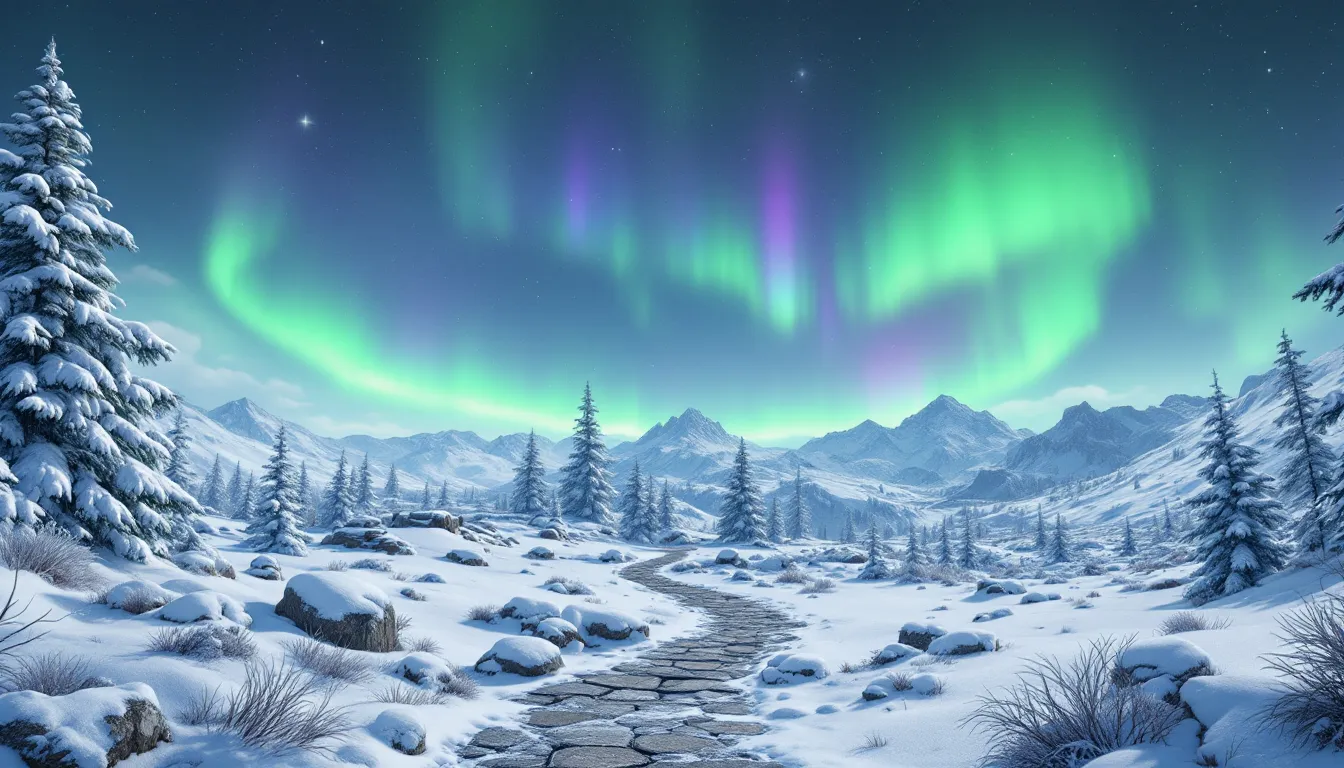
Fifteen years after its release, Skyrim still captures the imagination of millions. The game’s snow-capped peaks, aurora-lit skies, and dragon-filled horizons haven’t just stayed in gameplay, they’ve made their way onto desktops, phones, and dual-monitor setups around the world. Whether you’re a new player diving into Tamriel for the first time or a veteran with thousands of hours logged, finding the right Skyrim wallpaper can bring a piece of that adventure to your daily digital life.
But not all wallpapers are created equal. Resolution matters. Composition matters. And with the sheer volume of Skyrim backgrounds floating around in 2026, from official Bethesda press shots to community-created 4K masterpieces, it’s easy to get lost in a sea of low-res thumbnails and awkwardly cropped screenshots. This guide cuts through the noise, covering the best Skyrim wallpaper categories, where to find high-quality downloads, and how to create custom backgrounds that match your exact setup.
Table of Contents
ToggleKey Takeaways
- Skyrim wallpaper remains timeless due to the game’s visual design, emotional resonance, and active modding community that continuously refreshes the aesthetic with 4K textures and enhanced lighting.
- Match your Skyrim wallpaper resolution to your display type—use 1920×1080 for 1080p, 2560×1440 for 1440p, or 3840×2160 for 4K displays to ensure clarity and visual impact.
- Top sources for high-quality Skyrim wallpapers include Nexus Mods communities, Wallpaper Engine for animated options, Wallhaven for static images, and DeviantArt for stylized fan-created designs.
- Capture custom Skyrim wallpapers using console commands like TFC (free camera) and TM (hide UI), then enhance shots with post-processing tools like Lightroom or ReShade for professional results.
- Optimize Skyrim wallpapers differently for mobile and desktop: use horizontal panoramic compositions for desktop monitors and vertical framing for phone lock screens to maximize visual impact on each device.
- Current 2026 trends favor ray-traced cinematic compositions, ultrawide aspect ratios (21:9 and 32:9), and minimalist vaporwave-inspired designs over traditional action-pose screenshots.
Why Skyrim Wallpapers Remain Timeless 15 Years Later
Most games fade from cultural memory within a few years. Skyrim didn’t.
The reason Skyrim wallpapers still dominate wallpaper sites in 2026 comes down to three factors: visual design, emotional resonance, and modding longevity. Bethesda’s art team built a world that feels mythic even on vanilla settings, those sweeping mountain vistas, the glow of the northern lights over frozen tundra, and the silhouette of a dragon circling ancient ruins. These aren’t just pretty screenshots. They’re iconic moments that players remember from their own playthroughs.
Then there’s the emotional attachment. Skyrim isn’t just a game people played, it’s a world they lived in. Whether someone spent 50 hours or 500, they’ve got stories tied to specific locations. The throat of the world, Blackreach’s bioluminescent caverns, the College of Winterhold perched on a collapsing cliff. A wallpaper of any of these places hits different when you’ve actually been there.
And finally, the modding scene keeps the visuals fresh. ENB presets, 4K texture overhauls, and lighting mods like Lux or Relighting Skyrim have transformed the game’s look year after year. Community artists capture these modded setups and share them, which means Skyrim wallpapers in 2026 can look dramatically better than anything Bethesda shipped in 2011.
The result? A steady stream of new Skyrim backgrounds that mix nostalgia with cutting-edge visual fidelity. It’s rare for a game to maintain that kind of aesthetic relevance, but Skyrim manages it.
Best Skyrim Wallpaper Categories to Match Your Style
Not every Skyrim wallpaper fits every setup. Some players want dramatic action shots. Others prefer minimalist designs that won’t clutter a busy desktop. Here’s a breakdown of the most popular categories and what makes each one work.
Epic Landscape Wallpapers: Mountains, Auroras, and Skyrim’s Wilderness
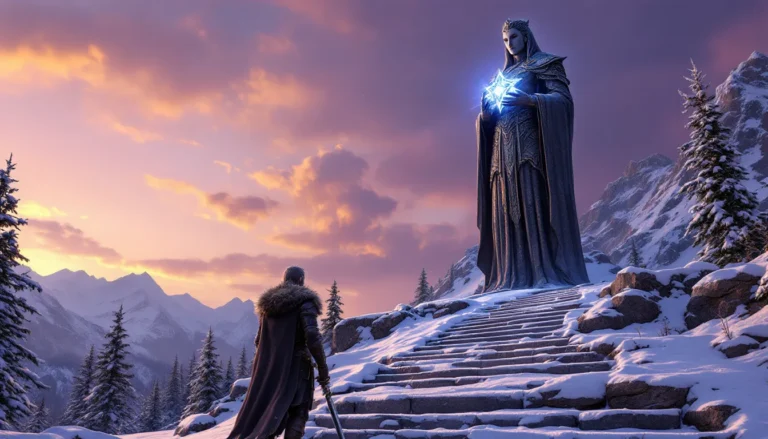
This is the bread and butter of Skyrim wallpapers. Landscape shots capture the game’s environmental storytelling, towering peaks, dense pine forests, and those signature aurora borealis displays that light up the night sky.
The best landscape wallpapers use natural framing. A path winding through the Rift’s autumn forests, a view from High Hrothgar looking down at the clouds, or a sunset over Lake Ilinalta. These compositions work because they give the eye somewhere to go. They’re not just random screenshots, they’re carefully chosen angles that feel deliberate.
For 4K displays, landscape wallpapers shine. The extra resolution brings out texture detail in distant mountains and cloud layers that would blur into mush at 1080p. If you’re running a skyrim wallpaper 4k setup, prioritize shots with strong depth and atmospheric perspective.
Popular mods like Majestic Mountains, Skyrim Flora Overhaul, and various weather mods (Obsidian Weather, Cathedral Weathers) can elevate landscape shots even further. Many community creators specifically build modded setups for screenshot purposes, then share the results as wallpapers.
Dragon and Combat-Themed Wallpapers for Action Lovers
Dragons are Skyrim’s headline feature, and combat shots remain some of the most downloaded wallpapers year after year.
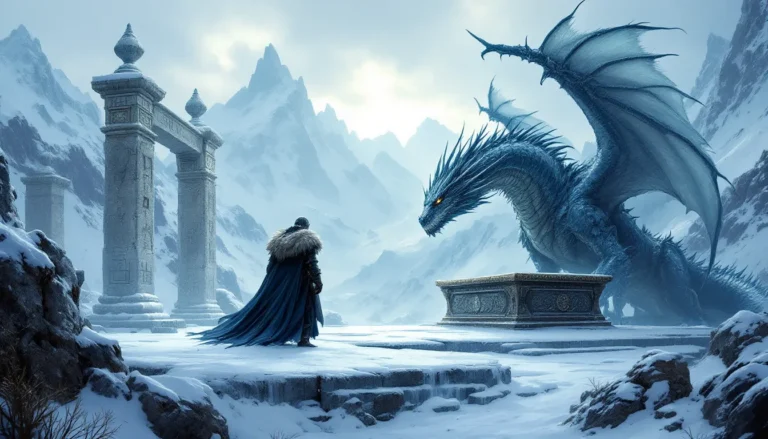
The challenge with combat wallpapers is avoiding the awkward mid-swing freeze-frame look. The best ones capture motion without feeling static, a dragon banking mid-flight with fire trailing from its jaws, the Dragonborn silhouetted against an explosion of Unrelenting Force, or a close-up of a weapon clash with spell effects lighting the scene.
These work especially well for ultrawide monitors (21:9 or 32:9 aspect ratios), where horizontal action shots have room to breathe. A dragon’s wingspan stretched across a 3440×1440 display hits harder than a cramped 16:9 crop.
If you’re into this category, look for wallpapers tagged with specific dragon names, Alduin, Paarthurnax, or Legendary Dragons, since those tend to be more curated than generic dragon fight screenshots.
Minimalist and Artistic Skyrim Wallpapers
Not everyone wants a busy desktop. Minimalist Skyrim wallpapers strip away detail and focus on silhouettes, logos, or simplified color palettes.
Common designs include:
- The Skyrim logo (dragon emblem) on a clean gradient or texture
- Silhouette art of the Dragonborn’s helmet or iconic weapons
- Abstract representations of shouts or magic effects
- Single-color interpretations of in-game locations
These wallpapers work great for productivity setups where you don’t want visual clutter competing with open windows. They’re also easier on battery life for laptops and skyrim phone wallpaper users, since darker minimalist designs use less power on OLED screens.
Artists on platforms like DeviantArt and ArtStation have been creating stylized Skyrim fan art for over a decade. Some of the best minimalist wallpapers come from these sources rather than in-game screenshots.
Character and Faction Wallpapers: Dragonborn, Dark Brotherhood, and More
Character-focused wallpapers put the player or NPCs front and center. These range from close-ups of the Dragonborn in full Daedric armor to group shots of faction members like the Companions or the Thieves Guild.
Faction wallpapers carry specific vibes:
- Dark Brotherhood: Black and red color schemes, the hand emblem, shadowy assassination scenes
- Thieves Guild: Nightingale armor, Nocturnal symbolism, Riften’s shadowy alleys
- College of Winterhold: Spell effects, mage robes, the college’s crumbling architecture
- Companions: Nordic warriors, Jorrvaskr’s mead hall, werewolf transformation shots
These wallpapers work best when they reflect the player’s actual faction allegiance or preferred playstyle. A stealth archer main isn’t going to vibe with a two-handed warrior wallpaper, and vice versa.
Many players prefer to see themselves in these wallpapers, which is where custom character screenshots come into play. More on that in the creation section below.
Top Sources to Download High-Quality Skyrim Wallpapers
Knowing where to look saves hours of digging through low-res garbage. Here are the most reliable sources for skyrim wallpapers in 2026.
Official Bethesda Assets and Press Kits
Bethesda’s official press materials and marketing screenshots remain some of the highest-quality Skyrim wallpapers available. These are professionally composed, properly lit, and optimized for print and digital use.
You can find official assets through:
- Bethesda’s media portal (press.bethesda.net, though availability varies by region)
- The official Elder Scrolls website’s media galleries
- Anniversary Edition and Special Edition promotional materials
The downside? Official wallpapers are limited in variety. You’ll see the same dozen or so iconic shots recycled across platforms. They’re safe, high-quality picks for a clean desktop, but they won’t offer the depth that community sources provide.
Community-Created Wallpapers on Nexus Mods and Reddit
The Nexus Mods platform isn’t just for downloading gameplay mods, it’s also home to thousands of community-created wallpapers and screenshot showcases. Modders often package their visual overhauls with example screenshots, and dedicated screenshot artists upload curated collections.
Key places to look:
- r/SkyrimPorn (yes, it’s safe for work, it’s dedicated to in-game photography)
- r/Skyrim (regular screenshot showcases and wallpaper posts)
- Nexus Mods’ image galleries (filtered by endorsements and downloads)
Community wallpapers offer far more variety than official sources. You’ll find everything from heavily modded 4k Skyrim wallpaper setups to creative compositions that Bethesda would never publish. The trade-off is inconsistent quality, you’ll need to filter through a lot of mediocre uploads to find the gems.
When browsing community sources, check the image resolution before downloading. Many uploads are compressed or upscaled from lower resolutions, which tanks quality on modern displays.
Wallpaper Websites and Aggregators
Dedicated wallpaper sites aggregate uploads from across the web, making them convenient one-stop shops.
Top sites for Skyrim wallpapers include:
- Wallpaper Engine (Steam Workshop): Animated wallpapers with dynamic weather, moving auroras, and interactive elements. Requires the paid Wallpaper Engine app but offers unmatched immersion.
- Wallhaven: High-resolution static wallpapers with robust filtering by resolution, aspect ratio, and color.
- Unsplash / Pexels: Occasionally feature fan art and official promotional shots (less common but worth checking).
- DeviantArt: Massive library of fan-created Skyrim art, including stylized and minimalist designs.
For mobile users hunting skyrim phone wallpaper options, Pinterest and dedicated mobile wallpaper apps (Zedge, Walli) pull from these same sources but optimize for vertical aspect ratios.
One pro tip: use reverse image search (Google Images, TinEye) on a wallpaper you like to find higher-resolution versions or the original source. Many wallpaper aggregators compress uploads, but the artist’s original file might be available elsewhere at full quality.
How to Choose the Perfect Skyrim Wallpaper for Your Device
A great wallpaper on a 4K monitor can look like pixelated trash on a phone. Resolution and aspect ratio aren’t optional considerations, they’re deal-breakers.
Resolution and Aspect Ratio Considerations
Matching your wallpaper’s resolution to your display is non-negotiable for visual clarity. Here’s the breakdown by common screen types:
Desktop (16:9 standard)
- 1920×1080 (1080p): Minimum acceptable resolution for modern displays. Still the most common desktop resolution in 2026.
- 2560×1440 (1440p): Sweet spot for gaming monitors. Noticeable quality upgrade without the GPU strain of 4K.
- 3840×2160 (4K): Best for high-end setups. The difference is dramatic if you’re sitting close to the screen.
Ultrawide monitors
- 2560×1080 (21:9): Entry-level ultrawide.
- 3440×1440 (21:9): Most popular ultrawide resolution.
- 5120×1440 (32:9): Super ultrawide. Hardest to find native wallpapers for, you may need to crop or commission custom work.
Mobile (portrait orientation)
- 1080×1920 and up: Most phones use some variation of this aspect ratio.
- 1440×2960, 1284×2778, etc.: Higher-end devices. Always download the highest resolution available since phone screens pack more pixels per inch than monitors.
If you can’t find a wallpaper in your exact resolution, go bigger and crop, never smaller and upscale. Upscaling introduces blur and artifacts that wreck image quality.
For ultrawide users, Skyrim background shots with horizontal action or sweeping landscapes work better than vertical compositions, which lose impact when stretched. When searching for resources like essential Skyrim mods, players often share their screenshot setups and resolutions, which can lead to discovering wallpapers built for specific aspect ratios.
Matching Wallpapers to Your Desktop Setup and Aesthetic
Your wallpaper should complement your desktop environment, not fight it.
Consider these factors:
Icon and window placement: If you keep desktop icons on the left side, choose wallpapers with visual interest on the right. Busy center compositions get covered by open windows.
Color scheme: Match your wallpaper’s palette to your desktop theme (dark mode, light mode, accent colors). A bright, warm Rift autumn wallpaper clashes with a blue-heavy dark mode setup.
Dual or triple monitor setups: Use panoramic Skyrim wallpapers or coordinated sets that span multiple screens. Mismatched wallpapers across monitors look chaotic unless you’re deliberately going for that aesthetic.
Animated vs. static: Wallpaper Engine’s animated Skyrim wallpapers add immersion but consume more system resources. If you’re running performance-heavy tasks (streaming, gaming, rendering), stick with static images to save CPU and GPU cycles.
One underrated trick: pick wallpapers that match your current playthrough. Running a vampire character? Use a Dark Brotherhood or Dawnguard-themed wallpaper. Playing a mage? Pull up a College of Winterhold shot. It’s a small touch that ties your desktop to your in-game identity.
Creating Custom Skyrim Wallpapers: Tools and Techniques
Why settle for someone else’s screenshot when you can capture your own?
Taking In-Game Screenshots with Mods and Console Commands
Skyrim’s built-in screenshot function (Print Screen on PC) works, but it’s bare-bones. For wallpaper-quality shots, you need more control.
Essential tools and mods:
- Free Camera (TFC command): Open the console (~) and type
tfcto toggle free camera mode. This lets you position the camera anywhere in the scene, independent of your character. - Toggle Menus (TM command): Type
tmin the console to hide the HUD and UI elements. Essential for clean screenshots. - NVIDIA Ansel (RTX/GTX users): Offers super-resolution captures, depth-of-field effects, and 360-degree shots. Requires an Ansel-compatible game version (check if your mod setup breaks compatibility).
- Screenshot mods: Mods like Screenshot Assistant or Screenshot Hotkeys streamline the capture process and automatically save shots to organized folders.
Composition tips for wallpaper shots:
- Use the rule of thirds. Position focal points (characters, dragons, landmarks) off-center for more dynamic framing.
- Shoot during golden hour or blue hour (dawn/dusk in-game time). The lighting is softer and more dramatic than midday sun.
- Wait for weather effects. Fog, rain, snow, and auroras add atmosphere that flat, clear skies can’t match.
- Experiment with angles. Low-angle shots make subjects look powerful. High-angle shots emphasize environment scale.
Many of the memorable in-game moments that define Skyrim are perfect wallpaper material once captured with proper framing and lighting.
Editing and Enhancing Your Skyrim Screenshots
Raw screenshots usually need post-processing to reach wallpaper quality.
Basic editing workflow:
- Crop to your target resolution and aspect ratio. Remove empty sky or unnecessary foreground clutter.
- Adjust exposure and contrast. Skyrim’s vanilla lighting can be muddy. A slight contrast boost and shadow lift often improve clarity.
- Color grading. Enhance the mood with subtle saturation adjustments or temperature shifts (warmer for cozy tavern shots, cooler for icy tundra).
- Sharpening. A light sharpen pass brings out texture detail, especially at 4K. Don’t overdo it, over-sharpening creates halos and looks artificial.
Recommended tools:
- Photoshop / GIMP: Industry-standard editing with full control. Steep learning curve but maximum flexibility.
- Lightroom / Darktable: Better for batch processing multiple screenshots with consistent adjustments.
- ReShade: Apply real-time post-processing filters in-game before you even take the screenshot. Saves editing time if you dial in a preset you like.
For players following optimization guides like those found on DSOGaming, combining visual mods with proper screenshot technique can produce wallpapers that rival official promotional material.
One advanced technique: take multiple screenshots of the same scene at different exposures, then blend them in post. This mimics HDR photography and preserves detail in both bright skies and dark shadows, useful for high-contrast scenes like dragon fights at sunset.
Skyrim Wallpaper Trends in 2026: What’s Popular Now
Wallpaper trends shift year to year, driven by new mods, visual techniques, and broader design movements. Here’s what’s dominating Skyrim wallpaper spaces in 2026.
Ray-traced and path-traced screenshots: With mods like Skyrim Ray Tracing (RTGI) and improved path tracing implementations, lighting in Skyrim can now rival modern AAA titles. Ray-traced wallpapers, especially interior shots with realistic light bounce, are getting heavy rotation on r/SkyrimPorn and wallpaper showcases.
Cinematic ultrawide compositions: As ultrawide and super ultrawide monitors become more common, wallpapers are shifting toward 21:9 and 32:9 aspect ratios. Epic landscape panoramas and side-scrolling-style action shots work better in these formats than traditional 16:9.
Animated Wallpaper Engine setups: Static wallpapers are still king, but animated Skyrim wallpapers via Wallpaper Engine are climbing in popularity. Dynamic weather, moving clouds, and parallax scrolling effects add a layer of immersion that static images can’t match. Tutorials for setting these up are increasingly common on How-To Geek and similar tech guides.
Minimalist and vaporwave-inspired designs: A countertrend to hyperrealism, some artists are leaning into stylized, retro-aesthetic Skyrim art. Think pastel gradients, pixel art throwbacks, and ’80s-inspired color palettes applied to iconic Skyrim imagery. These work especially well for skyrim phone wallpaper where screen real estate is limited.
Seasonal and holiday-themed wallpapers: The Skyrim community loves themed content, and seasonal wallpaper drops (Frostfall winter scenes, Hearthfire autumn vibes) remain consistently popular. Anniversary Edition nostalgia also fuels rotation back to classic vanilla-style screenshots among long-time players.
One notable shift: fewer “epic badass Dragonborn” poses, more environmental storytelling. Players in 2026 seem to prefer wallpapers that capture Skyrim’s world rather than the player character, reflecting the game’s strength in atmospheric world-building.
The ongoing trends shaping Skyrim in 2026 extend beyond gameplay into visual culture, with wallpapers acting as a barometer for what the community values aesthetically.
Mobile vs. Desktop: Optimizing Skyrim Wallpapers for Different Screens
A killer desktop wallpaper can look awful on a phone, and vice versa. The two formats have different requirements.
Desktop wallpapers: Landscape orientation, horizontal focus
Desktop screens are wider than they are tall. This favors:
- Panoramic landscape shots
- Horizontal action (dragon flying left-to-right across the frame)
- Dual or triple monitor spans
Desktop wallpapers also need to account for UI elements. Taskbars, docks, and desktop icons will cover portions of the image. Keep critical visual elements (faces, important details) away from the edges and bottom third.
For multi-monitor setups, you have two options: a single panoramic wallpaper stretched across displays, or individual coordinated wallpapers per monitor. The former works for seamless landscape shots, the latter for character or faction-themed setups where each monitor gets a different subject.
Mobile wallpapers: Portrait orientation, vertical focus
Phone screens are taller than they are wide, which completely changes composition needs.
What works on mobile:
- Vertical landscape shots (looking up at mountains, towers, or the Throat of the World)
- Close-up character portraits
- Minimalist designs that don’t get cluttered by icons and widgets
Mobile wallpapers also need to consider the lock screen and home screen separately. Lock screens can handle busier compositions since there are fewer UI elements. Home screens need negative space where app icons won’t obscure the image.
Many wallpaper sites offer separate mobile and desktop versions of the same image, cropped and recomposed for each format. If you’re manually adapting a desktop wallpaper for mobile, don’t just rotate and crop, reframe the shot to emphasize vertical elements.
Platform-specific considerations:
- iOS: Wallpapers should account for the notch (on older models) and Dynamic Island (on newer iPhones). Keep important visual elements away from the top center.
- Android: Wider variety of screen aspect ratios and resolutions. Check your specific device’s native resolution to avoid stretching or black bars.
- Tablets: Use desktop wallpapers in portrait mode or source tablet-specific aspect ratios (4:3 or 3:2 for iPads, 16:10 for many Android tablets).
One final consideration: file size. Desktop wallpapers can be several megabytes without issue, but mobile wallpapers should stay under 5MB to avoid storage bloat and battery drain from processing oversized images. For anyone diving deeper into Skyrim’s core mechanics, understanding how the game’s visual design translates across platforms can enhance both gameplay and the media you create from it.
Conclusion
Skyrim wallpapers in 2026 aren’t just desktop decoration, they’re a reflection of the game’s enduring visual and emotional impact. Whether you’re pulling from official Bethesda assets, diving into community-created collections, or capturing your own in-game screenshots, the options are nearly limitless.
The best wallpaper is the one that matches your setup, your aesthetic, and your connection to the game. A skyrim 4k wallpaper showcasing Blackreach’s bioluminescent glow hits different for someone who spent hours exploring that cavern. A minimalist Dragonborn logo works for someone who wants a clean desktop but still wants to rep their favorite game.
If you’re serious about building a custom wallpaper collection, invest time in learning screenshot composition and basic editing. The difference between a random screenshot and a wallpaper-worthy capture often comes down to framing, timing, and a few minutes in post. With the right mods and tools, your own playthrough can generate wallpapers that no one else in the world has.
Skyrim gave us a world worth exploring for hundreds of hours. It makes sense that we’d want to keep a piece of it on our screens long after we’ve closed the game. For players eager to explore every facet of the game, a solid Skyrim starter guide can help newcomers understand why these visuals resonate so deeply. And if you’re comparing Skyrim’s aesthetic staying power against other RPGs in the genre, it’s clear that few games have matched its visual impact even a decade and a half later.